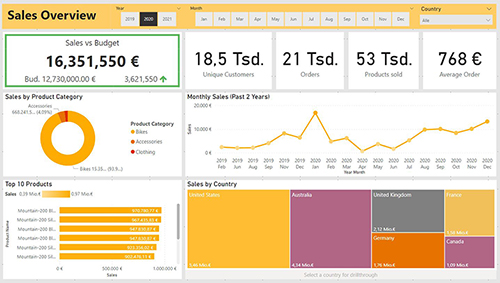
PowerBI Dashboard
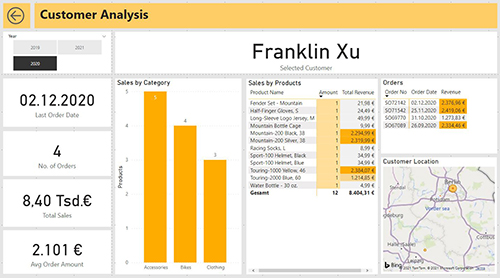
For this project I downloaded a sample dataset of a bike manufacturer and used SQL Server as a database. My goal was to create a useful dashboard for top management, allowing them to have a broad overview of international sales and business development. However, they should also be able to drilldown and drillthrough into more specific data about regional performances and customer views.
These were my performed steps:
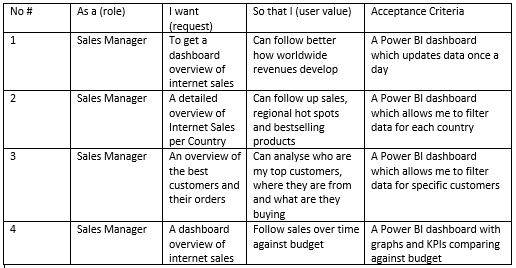
I started with formulating some user stories to set the goals and requirements for the project
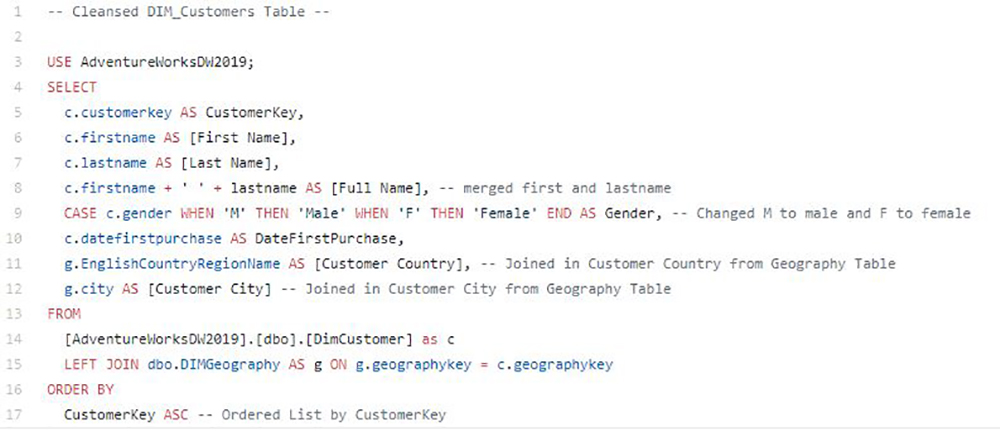
Based on that, I performed some simple queries out of SQL Server to be able to use the data within Power BI. All my queries can be found in the repository.
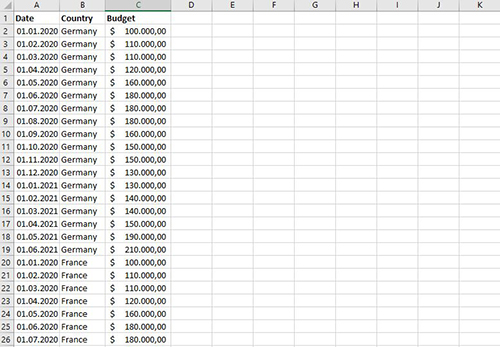
I added an Excel File with some made up budgets for sales to enrich the data from the dataset
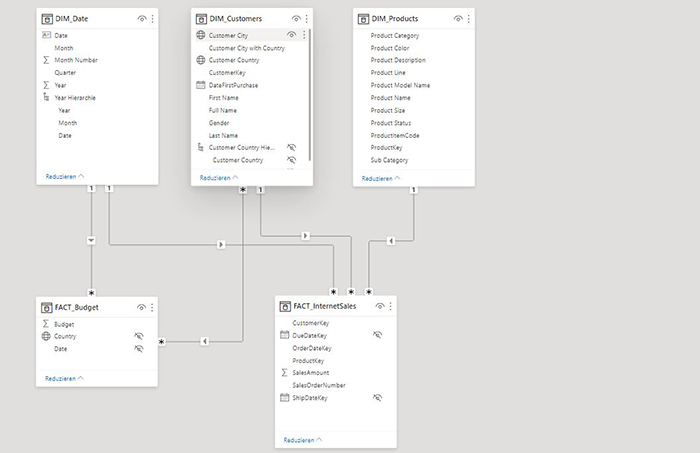
I built a data model within Power BI
I started building the Power BI dashbard. Many measures include DAX functions. The user can drilldown certain data and drillthrough to the get more details on countries and customers. To highlight possible drillthrough process, drilldown buttons are used. -> The pbix file can be found here.